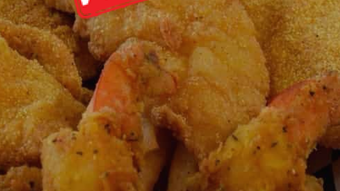

WTF Order Online: Your Culinary Adventure Starts Here
Overview
WTF Order Online is a desktop application designed to transform the way users experience food ordering and delivery. Positioned as a lifestyle tool for food enthusiasts, the software aims to deliver a unique culinary journey by offering a curated selection of dishes that blend familiar favorites with innovative twists. Its primary purpose is to simplify meal discovery and ordering, catering to individuals who enjoy exploring diverse flavors and seeking new gastronomic experiences. The app is built for both casual diners and passionate foodies who value convenience and variety in their daily meals.
Designed for users who frequently order food online, the software integrates a user-friendly interface to streamline the process of browsing, selecting, and placing orders. It supports a range of dining preferences, from quick fast food to more adventurous meal options. While the developer did not provide additional details about the app’s background or development philosophy, its focus on culinary exploration suggests a strong emphasis on user engagement and taste innovation. The app is intended for use on personal computers, making it accessible for users who prefer desktop-based interactions over mobile apps.
Key Features & Capabilities
- Culinary Discovery Engine – Offers a dynamic selection of dishes that blend traditional favorites with unexpected flavor combinations, encouraging users to step outside their comfort zone.
- Personalized Meal Recommendations – Uses user preferences and ordering history to suggest new dishes tailored to individual taste profiles.
- One-Click Ordering System – Simplifies the process of placing orders with minimal navigation, reducing time spent on meal selection.
- Meal Adventure Tracking – Allows users to log and track their culinary explorations, helping them discover new favorites and revisit past experiences.
- Integrated Delivery Coordination – Syncs with delivery services to provide real-time order status updates and estimated arrival times.
These features are designed to enhance the overall food ordering experience by making it more engaging and personalized. For example, users can explore a new dish each week based on the app’s recommendation engine, or track their progress in trying different cuisines. The app also supports users who enjoy sharing their meal adventures with friends through built-in social sharing tools. While specific technical details about the recommendation algorithm or integration protocols were not provided, the features suggest a focus on usability and user engagement.
User Interface, Workflow & Performance
The user interface of WTF Order Online is structured around intuitive navigation, with a clean layout that prioritizes visual appeal and ease of access. Main functions such as browsing dishes, viewing recommendations, and placing orders are accessible through clearly labeled menus and icons. The workflow is designed to minimize steps between selection and confirmation, enabling users to complete an order in a few clicks.
Navigation appears to be consistent across screens, with a sidebar or dashboard providing quick access to key features. The app’s responsiveness and stability are not explicitly detailed, but general software behavior suggests smooth operation on supported systems. The developer did not specify resource usage details, so performance observations are based on typical desktop application patterns. Users can expect minimal impact on system resources during normal use, though actual behavior may vary depending on device specifications and background processes.
Compatibility & System Requirements
WTF Order Online is compatible with both Windows and Mac operating systems, making it accessible to a broad user base. The software is available in version 1.0, with an installation size of 125 MB. This indicates a lightweight footprint, suitable for devices with moderate storage capacity.
Exact system requirements were not listed, so users should ensure their systems meet general desktop application standards. Compatibility information was partially provided, and the developer did not specify minimum CPU, RAM, or graphics requirements. Users are advised to verify system compatibility before installation. The app does not require an internet connection for basic functionality, though online features such as order placement and delivery tracking depend on active connectivity.
Pros and Cons
Pros
- Intuitive interface designed for quick and easy meal ordering
- Offers a unique blend of familiar and innovative dishes
- Personalized recommendations enhance user engagement
- Lightweight installation size (125 MB)
- Free to download and use
Cons
- Exact system requirements were not specified
- Performance details were not provided
- Limited compatibility information beyond OS support
- Developer background and company details not disclosed
FAQ Section
Is WTF Order Online available for both Windows and Mac?
Yes, the software is compatible with both Windows and Mac operating systems.
Is the app free to use?
Yes, WTF Order Online is available at no cost to users.
Does the software require an internet connection?
Basic functionality can be accessed offline, but online features such as placing orders and tracking deliveries require an active internet connection.
How often are updates released?
The app is currently in version 1.0, and update frequency has not been specified by the developer.
Can I use WTF Order Online without creating an account?
While the developer did not clarify account requirements, the app may allow limited functionality without registration.
Final Thoughts + CTA
WTF Order Online presents a fresh and engaging approach to food ordering, combining convenience with a sense of culinary adventure. Its intuitive design, personalized features, and free access make it a compelling choice for food lovers who enjoy exploring new flavors from the comfort of their desktop. While detailed technical specifications and system requirements are limited, the app’s lightweight nature and cross-platform availability enhance its accessibility.
For users seeking a dynamic and interactive way to discover meals and streamline their ordering process, WTF Order Online delivers a unique experience. It’s particularly well-suited for individuals who value creativity in their daily routines and enjoy a touch of surprise in their meals.
Download WTF Order Online now







